Settings
The Settings page is where you connect ChronoFlow to your Kimai instance and configure the defaults used when creating invoice positions. All settings are saved per account and take effect immediately after clicking Save.
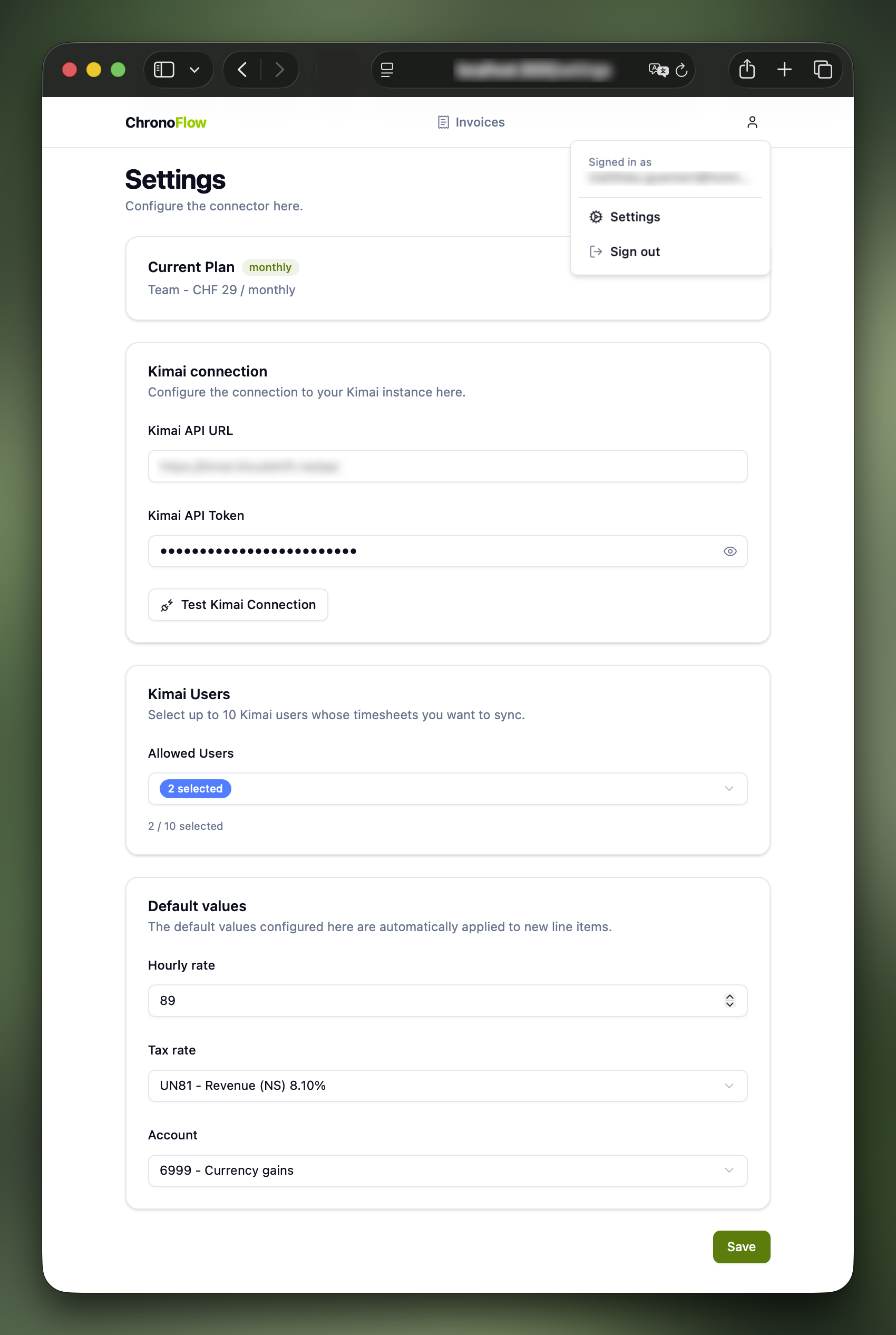
Current Plan
At the top of the page you can see your active subscription plan and billing cycle. This determines which features are available to you and how many Kimai users you can sync.
Kimai Connection
Connect ChronoFlow to your Kimai instance by providing the API URL and a personal API token.
| Field | Description |
|---|---|
| Kimai API URL | The base URL of your Kimai API, e.g. https://foobar.kimai.cloud/api. Must use HTTPS. |
| Kimai API Token | A personal API token generated in Kimai under Profile → API access. Stored encrypted at rest. |
Use the Test Kimai Connection button to verify your credentials before saving. ChronoFlow will call the Kimai API and show a confirmation or an error message without saving anything.
Kimai Users
This section is only visible on Solo and Team plans.
Restrict which Kimai users’ timesheets are available when creating invoice positions. This prevents timesheet entries from other team members from appearing in your invoice workflow.
| Plan | Behaviour |
|---|---|
| Solo | Select exactly one Kimai user. Only that user’s timesheets will be shown. |
| Team | Select up to 10 Kimai users. Only the selected users will appear in the timesheet filter. |
| Enterprise | No restriction — all Kimai users are always available. |
The Kimai Users section only appears after your Kimai connection has been saved. Save the connection first, then return to configure user access.
Invoice Defaults
These values are used as pre-filled defaults whenever you create a new invoice position.
| Field | Description |
|---|---|
| Default Unit Price | The hourly rate (in your Bexio account currency) applied to timesheet durations. |
| Default Tax Rate | The Bexio tax rate applied to new positions. Loaded from your Bexio account. |
| Default Account | The Bexio revenue account assigned to new positions. Loaded from your Bexio account. |